
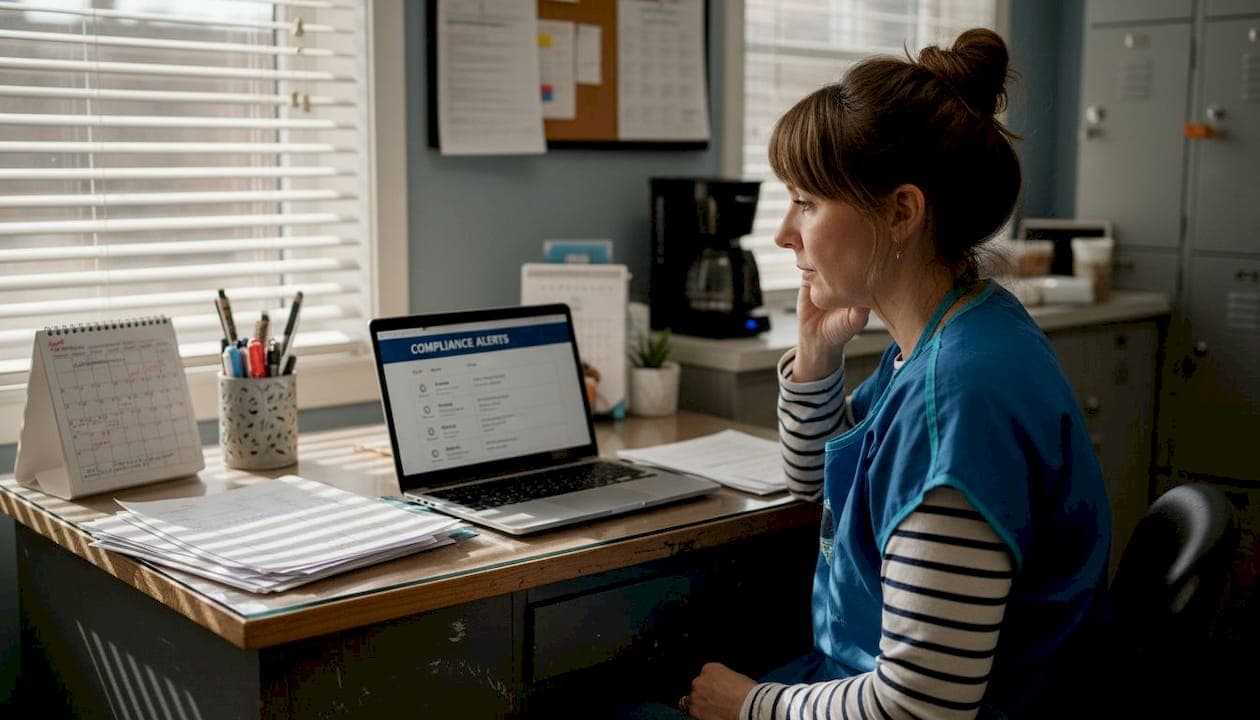
Picture this: a state inspector walks into your busiest location on a Tuesday morning, and your front desk manager suddenly realizes one stylist's license expired three weeks ago. The fine lands before lunch. That single missed deadline can cost hundreds of dollars, trigger a temporary shutdown, and shake your team's confidence. The good news is that automated reminders for license renewals have made this scenario entirely preventable. This guide walks you through every step of setting up compliance alerts, from gathering your data to verifying that every notification fires correctly, so you can manage multiple locations without losing sleep over renewal dates.
Table of Contents
- Understanding compliance alert systems
- Gathering your compliance requirements and tools
- Step-by-step: Setting up compliance alerts
- Testing and verifying your alert workflows
- What most salon owners miss about compliance automation
- Automate compliance—so you never miss a renewal
- Frequently asked questions
Key Takeaways
| Point | Details |
|---|---|
| Automate renewal alerts | Setting up automated alerts ensures you never miss a compliance deadline for any location. |
| Customize for each state | Use alert systems that adapt to unique rules so your salons stay inspection-ready everywhere. |
| Test before relying | Always verify alerts and notification recipients to prevent miscommunication and avoid fines. |
| Centralize compliance management | One dashboard simplifies license tracking and reduces errors across multiple salons. |
Understanding compliance alert systems
A compliance alert system is software that monitors your licenses, permits, and regulatory deadlines, then sends automatic notifications to the right people before anything expires. For barbershop and salon owners, that means tracking cosmetology licenses, business permits, health certifications, and inspection schedules across every location you operate.
The difference between manual and automated tracking is enormous. Here is a side-by-side comparison:
| Feature | Manual tracking | Automated alert system |
|---|---|---|
| Deadline reminders | Calendar entries, easy to miss | Automatic, multi-channel notifications |
| Multi-location support | Separate spreadsheets per shop | Single dashboard for all locations |
| State rule updates | Owner must research changes | Platform updates rules automatically |
| Human error risk | High | Very low |
| Time investment | Hours per week | Minutes per month |
The benefits go beyond convenience. Automated systems reduce stress, keep your team inspection-ready at all times, and eliminate the guesswork that comes with managing state-by-state regulations. Real-time compliance alerts can be customized for state-specific regulations across 46+ states, which matters when you have shops in different states with different renewal cycles.
Three pain points drive most salon owners toward automation:
- Multi-location chaos: Tracking 10 stylists across 3 shops manually is a full-time job.
- State rule variation: California and Texas have different renewal windows, fees, and continuing education requirements.
- Human error: A missed calendar entry or a staff change can leave a compliance gap that nobody catches until an inspector does.
Missing a single compliance deadline can trigger fines starting at $500, force a temporary closure, and create complications with your business insurance policy. The financial and reputational damage from one lapse far outweighs the cost of any automated system.
Compliance alert systems solve all three pain points by centralizing your data, automating the reminders, and giving you a real-time view of every location's status from one screen.
Gathering your compliance requirements and tools
Before you configure a single alert, you need the right information in front of you. Rushing into setup with incomplete data is the most common reason alert systems fail to protect salon owners.
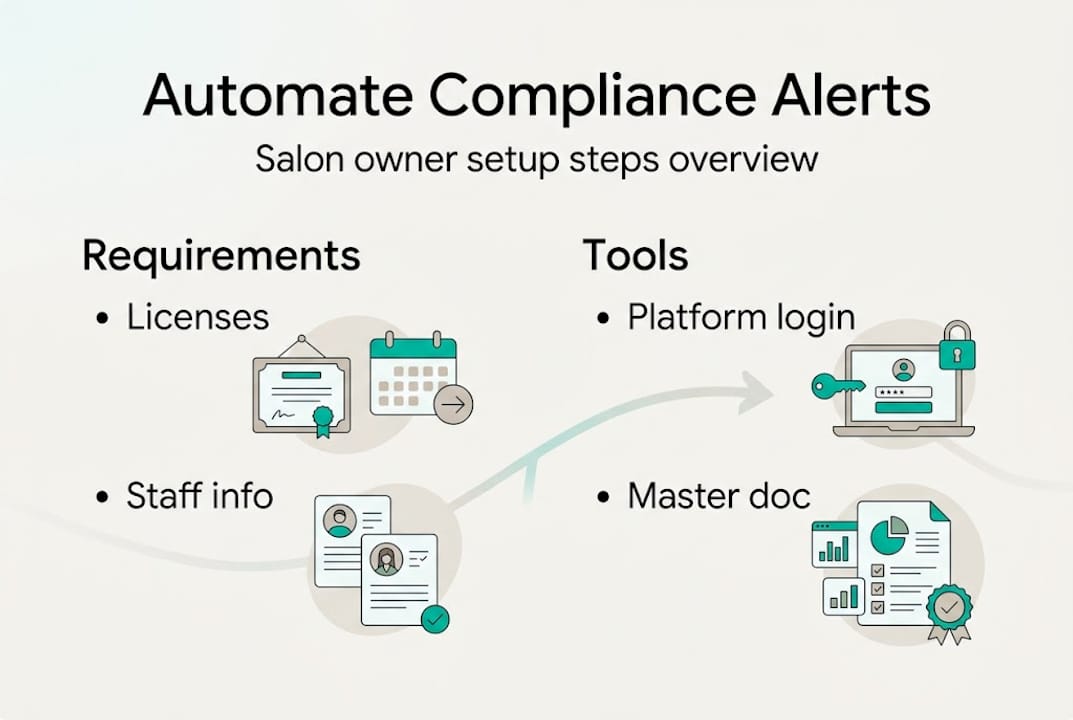
Here is everything you need to collect before you start:
- All active cosmetology and barber license numbers for every stylist
- Business license numbers and expiration dates for each location
- State-specific renewal windows and continuing education requirements
- A complete staff list with contact details, including email and mobile number
- Physical addresses and operating hours for every shop
- Any pending inspection dates or outstanding compliance items
Once you have that information, you also need the right tools ready:
| Tool or resource | Purpose |
|---|---|
| Compliance platform login | Access your dashboard and configure alerts |
| Mobile device or tablet | Receive and test push notifications |
| Digital copies of all licenses | Upload for AI-based data extraction |
| State board websites bookmarked | Verify current renewal requirements |
| Staff contact list | Assign notifications to the right people |
Accuracy matters more than speed here. A wrong expiration date entered into your system means your alert fires on the wrong day, and that defeats the entire purpose. Inspection checklists and cleaning reminders are part of comprehensive compliance solutions for beauty professionals, so plan to input those details too, not just license dates.

For multi-location owners, create a simple master document that lists every location, every staff member, and every license tied to that person and shop. This becomes your source of truth during setup and during any future audits.
Pro Tip: Keep a digital copy of each state's current cosmetology regulations saved in a shared cloud folder. State boards update rules more often than most owners realize, and having the latest version on hand saves hours of back-and-forth when you need to verify requirements.
Step-by-step: Setting up compliance alerts
With your materials ready, follow these steps to configure your compliance alert system from scratch.
-
Log into your platform dashboard. Your home screen should show a summary of all locations, active licenses, and any upcoming deadlines. Take a few minutes to explore the layout before entering any data.
-
Add each location. Create a profile for every shop, including the business name, address, and business license details. Most platforms let you group locations by region, which is helpful if you operate across multiple states.
-
Input staff and license data. Add each stylist or barber to their assigned location. Enter their license number, issuing state, and expiration date. If your platform supports AI-based extraction, upload a photo or PDF of each license and let the system read the data automatically. This cuts data entry time significantly.
-
Configure alert types and frequency. Set reminders for license renewals, business permit deadlines, and scheduled inspections. A good rule of thumb is to configure alerts at 90 days, 60 days, 30 days, and 7 days before each deadline. Customized compliance alerts and reminders specific to regulations ensure you are not getting generic notifications that your team ignores.
-
Assign notification recipients. For each location, designate who receives which alerts. Your location manager should get all alerts for their shop. You, as the owner, should receive a summary for every location. This role-based setup prevents alert fatigue and keeps accountability clear.
-
Save and activate your configuration. Review each entry before saving. Check the ShearShield dashboard setup guide if you need help with any specific field.
Pro Tip: Always add a backup contact for each location, ideally someone other than the primary manager. If your manager is on vacation when a 7-day alert fires, the backup ensures someone acts on it immediately.
Testing and verifying your alert workflows
Setting up alerts is only half the job. Verifying that they work correctly is what actually protects your business.
Follow these steps to test your system before fully relying on it:
-
Trigger a test alert. Most platforms include a test notification feature. Send a test to yourself first to confirm the delivery channel, email, SMS, or push notification, is working.
-
Verify recipient accuracy. Send test alerts for each location and confirm that the right staff member receives the notification. A manager at your downtown shop should not be getting alerts meant for your suburban location.
-
Check alert timing. Review the scheduled alert dates for three or four upcoming deadlines. Confirm the 90-day, 30-day, and 7-day reminders are set correctly and match the actual expiration dates you entered.
-
Simulate a missed step. Temporarily mark one license as unreviewed and see if the system escalates the alert or sends a follow-up. This tells you how the platform handles unacknowledged notifications.
-
Review the dashboard after testing. Customized notifications keep your salon prepared for inspections and avoid last-minute surprises. Confirm your dashboard reflects the test activity accurately.
Here is a quick reference for common issues and their fixes:
| Verification step | Common issue | Fix |
|---|---|---|
| Test alert delivery | No notification received | Check spam folder; verify contact info |
| Recipient accuracy | Wrong person notified | Review role assignments in settings |
| Alert timing | Wrong date triggered | Re-enter expiration date; check time zone |
| Dashboard reflection | Status not updating | Refresh browser; clear app cache |
| Escalation behavior | No follow-up on missed alert | Enable escalation settings in preferences |
Once every test passes, your team is genuinely inspection-ready. The system does the watching so your managers can focus on running great shops.
What most salon owners miss about compliance automation
Most guides stop at setup and testing, but there is a deeper layer that separates owners who truly benefit from automation and those who still feel stressed at renewal time.
The real value of a compliance alert system is not just avoiding fines. It is the way it changes how your team operates day to day. When staff know that alerts are automated and tracked, accountability improves. Nobody assumes someone else is handling a renewal because the system makes ownership of each task explicit.
What many owners overlook is state rule changes. Regulations update mid-year, and a system configured in January may not reflect a rule change published in August. Reviewing your compliance dashboard insights quarterly, not just at renewal time, is the habit that closes this gap.
We have seen multi-location owners catch a discrepancy between two states simply by reviewing their unified dashboard after a minor alert tweak. One state had quietly shortened its renewal window by 30 days, and the alert caught it before the deadline passed. That one catch paid for months of platform fees. Automation is not a set-it-and-forget-it tool. It is a living system that rewards owners who stay engaged with it.
Automate compliance—so you never miss a renewal
For salon owners serious about never scrambling at renewal time again, here's your next step.
ShearShield was built specifically for multi-location barbershop and salon owners who are done managing compliance through spreadsheets and sticky notes. The platform's AI reads your licenses automatically, matches them to the right locations and stylists, and sends layered alerts so nothing slips through.
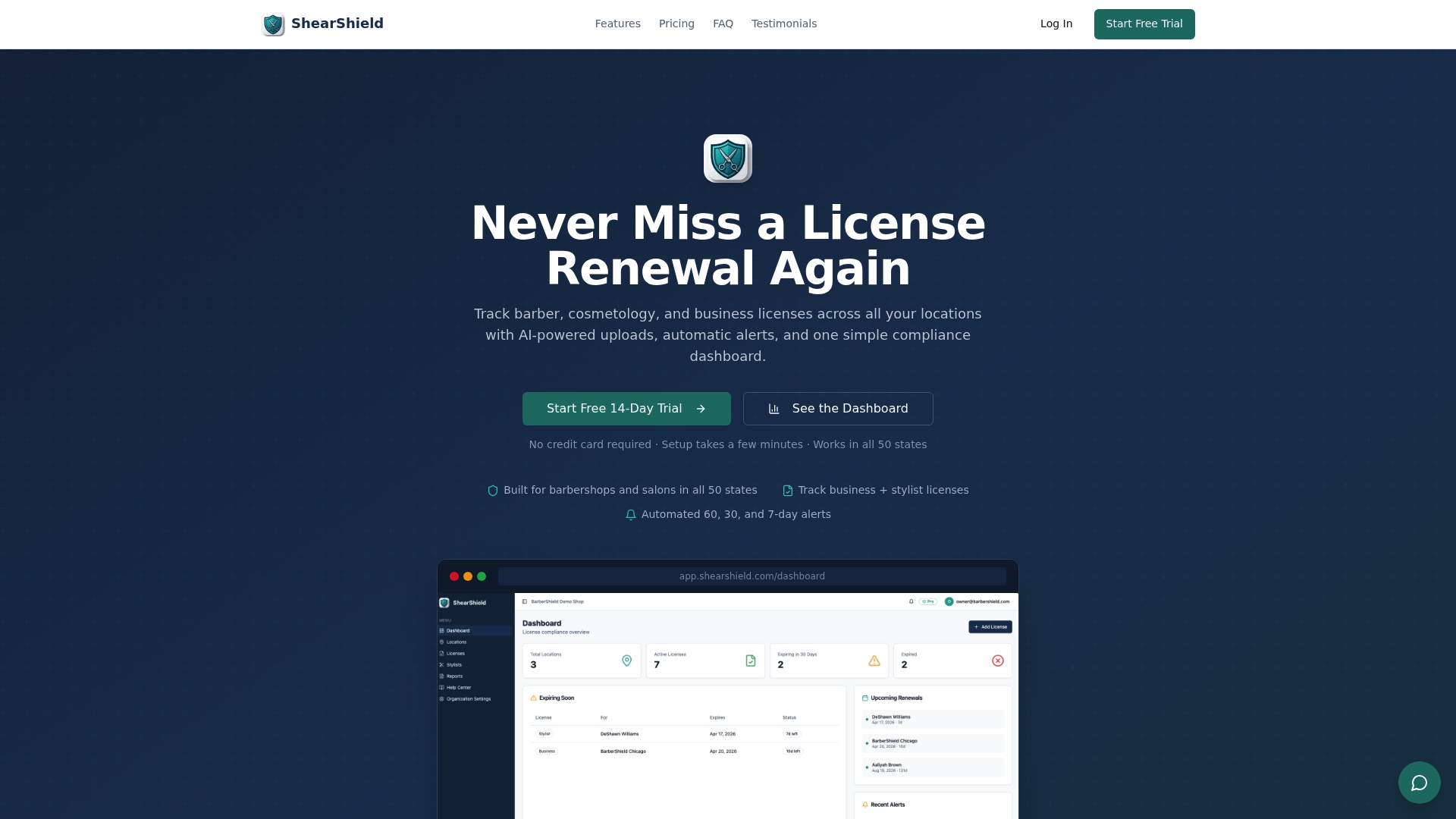
With the ShearShield License Compliance Dashboard, you get real-time visibility across every shop, role-based notifications for your team, and audit-ready reports whenever an inspector shows up. Setup takes less time than you think, and the peace of mind it delivers is immediate. Start your trial today and put compliance on autopilot.
Frequently asked questions
What is a compliance alert system for salons?
A compliance alert system tracks key licenses and sends automatic reminders so salons never miss renewal deadlines. Platforms like these provide real-time compliance alerts tailored to salon regulations, keeping your business protected year-round.
How many locations can I manage with one setup?
You can manage multiple locations and assign alerts to staff at each salon using one unified system. Compliance alerts and reminders are customizable for multi-location management, making it easy to scale as your business grows.
Can I set different rules by state for compliance?
Yes, alert platforms allow state-specific regulation tracking, helping you comply with varying local rules. Salon Safety App customizes alerts based on regulations across 46+ states, and ShearShield mirrors this flexibility for barbershops and salons nationwide.
What happens if I miss a compliance alert?
Missing an alert can lead to inspection failures and costly fines, but automated reminders help you avoid these risks. Real-time alerts prevent fines by ensuring timely renewals, and backup contact settings add an extra layer of protection when your primary manager is unavailable.